
In this post we look at the definitions for Stock Status’ and Availabilities and how to change them within the system.
Within Cubist, the artworks that you add will be categorized by their Stock Status and Availability. Stock Status refers to your legal ability to sell the artwork and Availability gives a more nuanced breakdown of where the artwork sits within the sales process.
There are four different Stock Status Options:
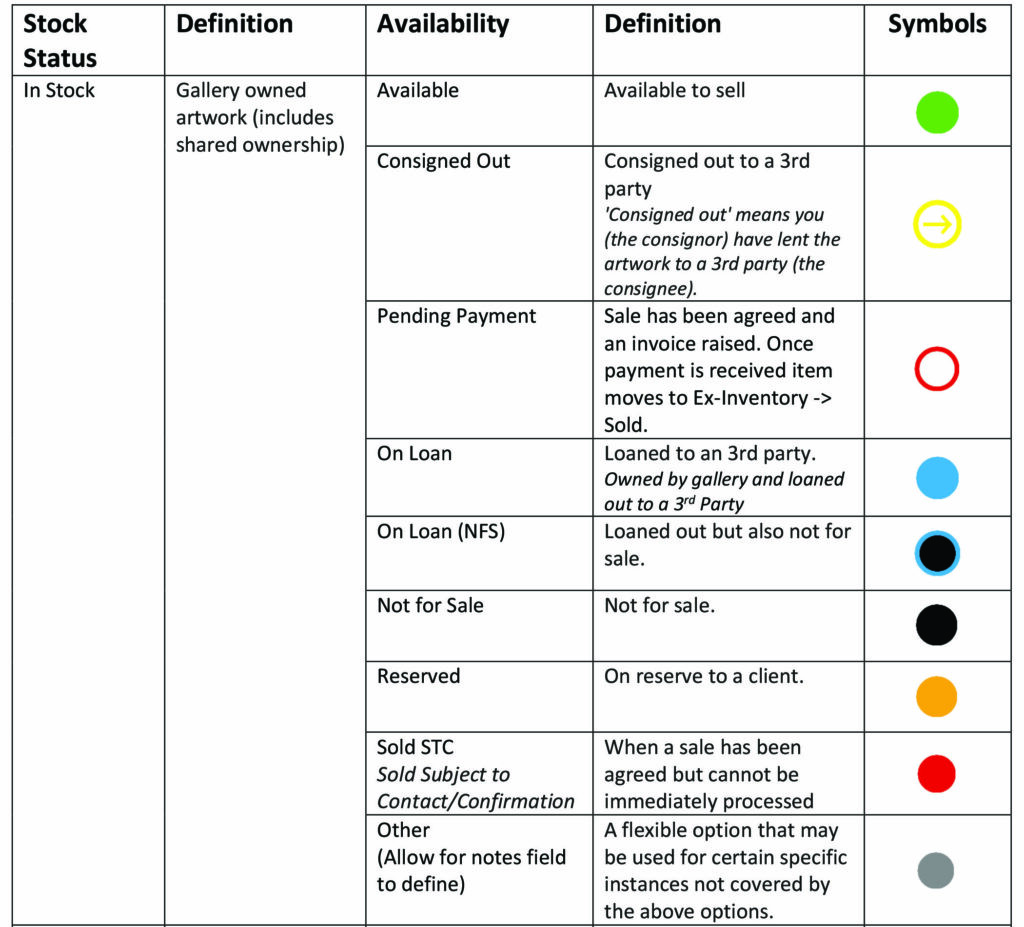
- In Stock – Gallery owned artwork (includes shared ownership)
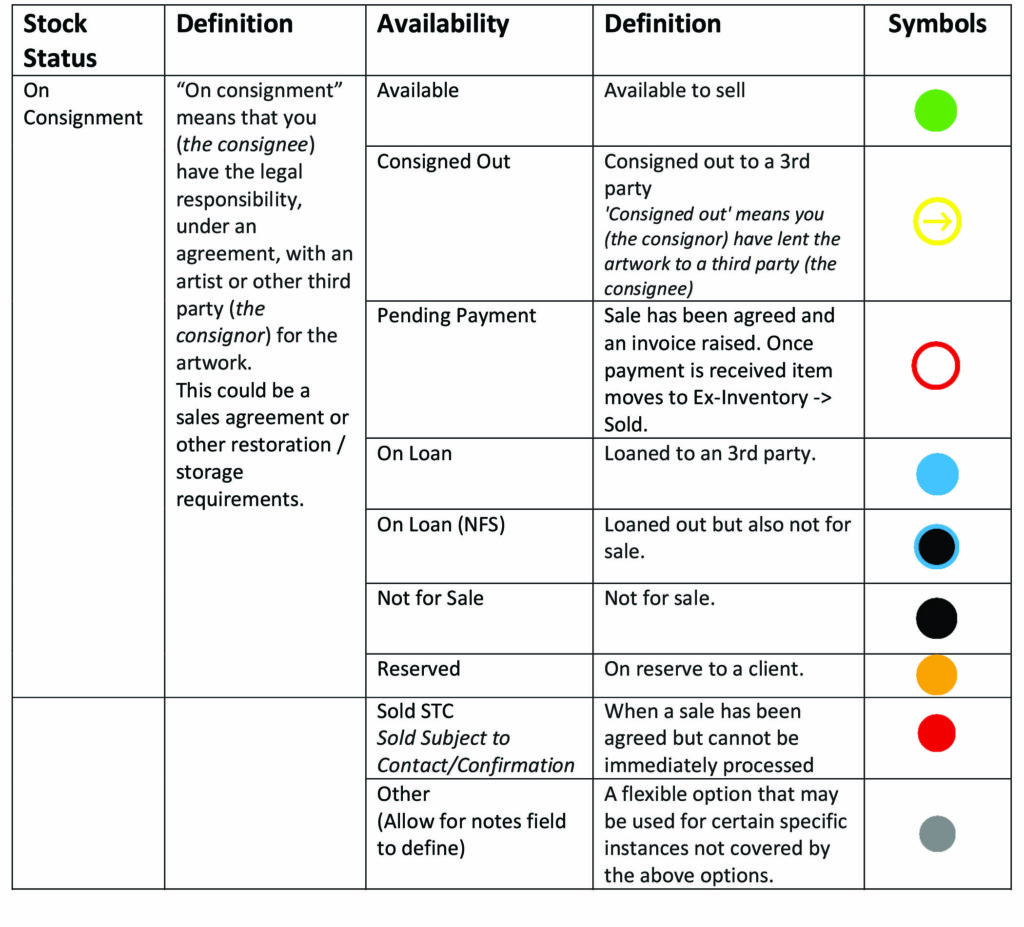
- On Consignment – This means that you (the consignee) have the legal responsibility, under an agreement, with an artist or other third party (the consignor) for the artwork. This could be a sales agreement or other restoration / storage requirements.
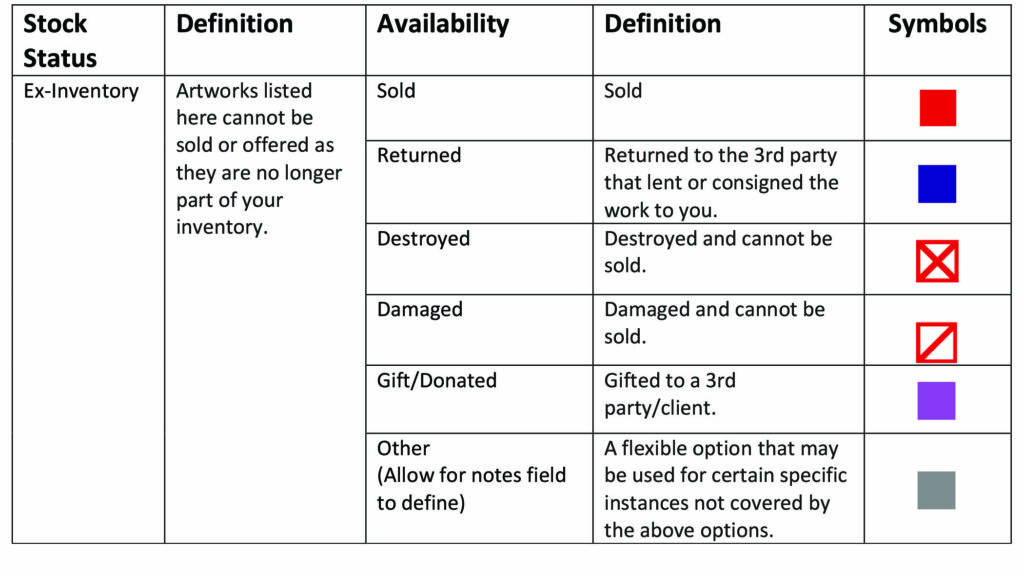
- Ex-Inventory – Artworks listed here cannot be sold or offered as they are no longer part of your inventory.
- Noted – Refers to artwork that is not owned by the gallery or legally part of the inventory. Artwork listed as Noted may still be available to sell or purchase. Noted can be helpful for galleries to list artworks which they are interested in or have knowledge of and also helpful for research purposes.
The Stock Status denotes the options for Availability, they go hand in hand.
Here are the Availability options for In Stock items:
Here are the Availability options for On Consignment items:
Here are the Availability options for Ex-Inventory items:
Here are the Availability options for Noted items:
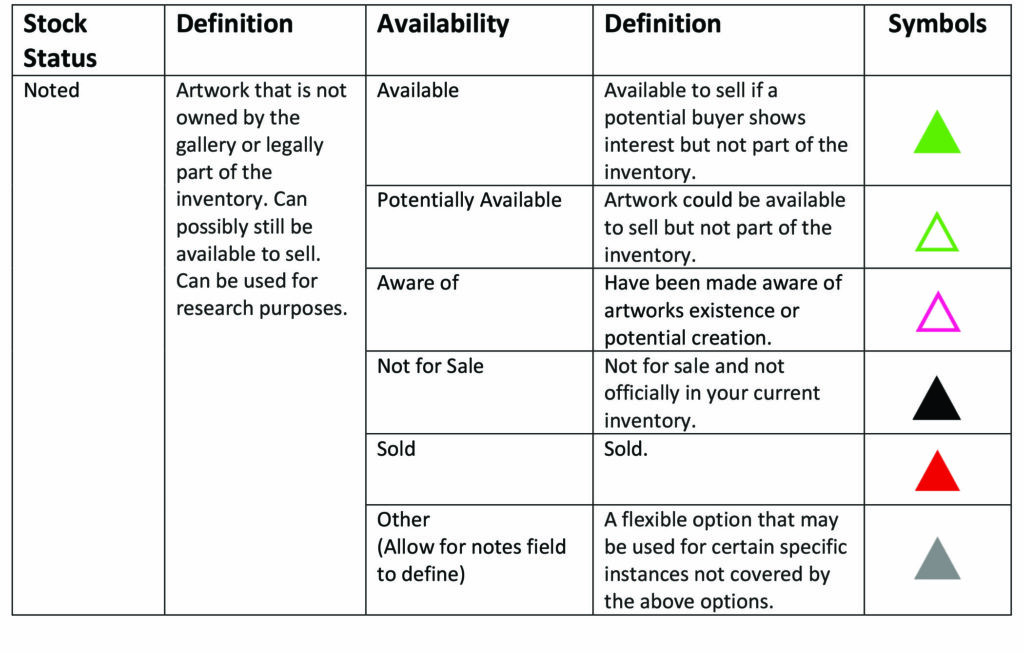
So, as you can see, the system does not allow for certain combinations of Stock Status and Availability – for example an item cannot be In Stock and Sold.
Here are the symbols which will appear in the system:
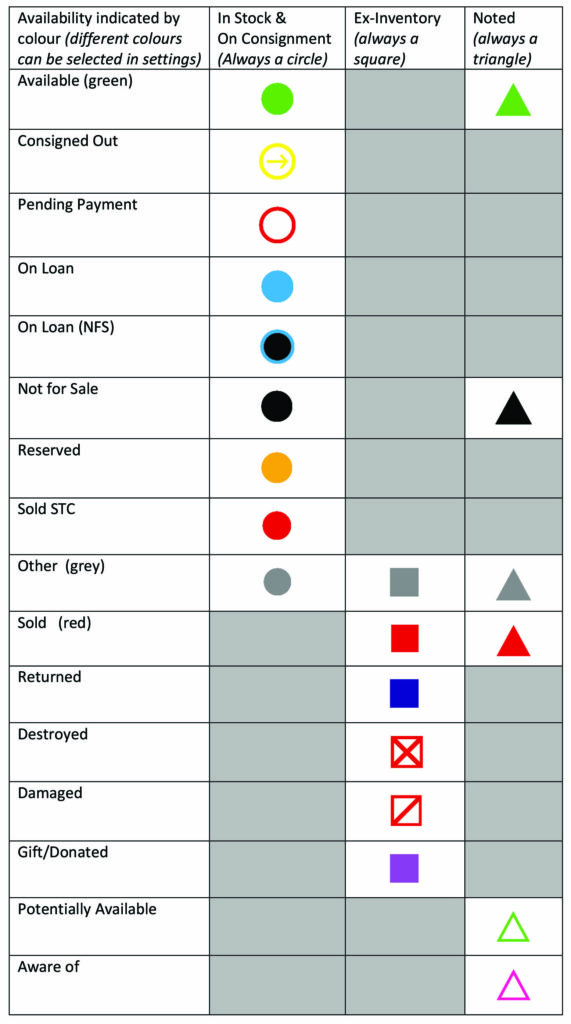
As you can see, the general shape of the symbol reflect the Stock Status so that you can quickly see the origin of the artwork. You can also edit the colour of the symbols within the system to suit your needs.
In order to change the Availability of an item, you have to perform an action on the item. The action buttons available will depend on the Availability of the item, follow the links below to see how to use the various Action buttons and update the Availability of an item:
Sell – https://rescue.cubist.cloud/knowledge-base/selling/
Reserve – https://rescue.cubist.cloud/knowledge-base/reservations/
Consign
Return
Loan – https://rescue.cubist.cloud/knowledge-base/loaning-artwork/
Remove – https://rescue.cubist.cloud/knowledge-base/remove-button/
Not for Sale – https://rescue.cubist.cloud/knowledge-base/not-for-sale/
Update Availability – https://rescue.cubist.cloud/knowledge-base/update-availability-button/
Restore Damaged Artwork – https://rescue.cubist.cloud/knowledge-base/restoring-damaged-artwork/